Cleaning your TV and electronics is essential for performance and longevity. Use soft microfiber cloths to avoid scratches and dust screens weekly. Choose the right cleaning solution; avoid ammonia-based products. When tackling stubborn smudges, use gentle circular motions. Remember to turn off devices before cleaning and avoid spraying solutions directly on screens. Don’t forget to keep remote controls clean too! Keep going to uncover even more tips for maintaining your electronic devices.
Why Cleaning Your TV and Electronics Is Essential
While you mightn’t think about it often, keeping your TV and electronics clean is crucial for their performance and longevity. Dust and grime can accumulate, affecting picture quality and causing overheating.
By developing good cleaning habits, you can guarantee your devices function at their best. Awareness of the importance of regular cleaning not only enhances your viewing experience but also extends the lifespan of your electronics. Additionally, using eco-friendly methods to clean your devices can help protect the environment while ensuring they remain in optimal condition.
It’s easy to overlook this task, but a quick wipe down can make a significant difference. Use a microfiber cloth and gentle cleaners specifically designed for electronics to avoid damage.
Understanding Different Screen Types and Their Care
Understanding the different screen types and how to care for them can greatly enhance your cleaning routine.
For LCD care, use a soft microfiber cloth and a gentle cleaner to avoid damaging the surface.
If you have an OLED screen, focus on maintaining its brightness and avoid harsh chemicals; a simple damp cloth works best.
For LED protection, make certain you’re not using anything abrasive, as it can scratch the screen.
When it comes to Plasma cleaning, keep in mind that these screens are more delicate, so use minimal pressure.
Finally, prioritize touchscreen safety by using specialized cleaners that won’t harm the touch-sensitive layer. Regularly using non-toxic cleaners ensures a safe environment while preserving the integrity of your screens.
Tailoring your cleaning approach to each screen type guarantees longevity and peak performance.
The Best Tools for Cleaning Screens Without Damage
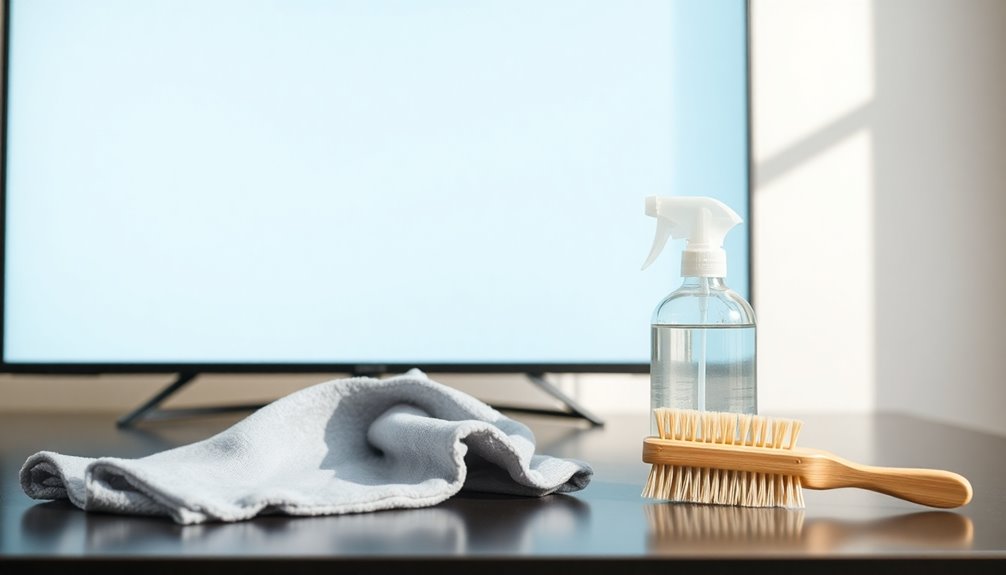
When it comes to cleaning your screens, using the right tools is essential to avoid damage.
Microfiber cloths are a top choice for their gentle yet effective cleaning properties, while specialized cleaning solutions can help remove stubborn smudges without harming your display.
You’ll also want to steer clear of any harmful materials that could scratch or degrade your screen. Regular cleaning with eco-friendly options ensures a safe and effective approach to maintaining your electronics.
Microfiber Cloth Benefits
Microfiber cloths have become the go-to choice for cleaning screens, thanks to their unique structure that effectively captures dirt and dust without scratching surfaces.
These cloths come in various microfiber types, each designed for specific cleaning techniques. For instance, you can choose a plush microfiber for delicate screens or a tighter weave for tougher grime.
Using a microfiber cloth, you’ll notice it picks up particles more efficiently than standard fabrics, reducing the risk of streaks.
Plus, they’re reusable and washable, making them eco-friendly. Simply dampen the cloth slightly for a deeper clean, and you’ll be amazed at how easily they lift smudges and fingerprints.
With microfiber in your cleaning arsenal, your screens will stay pristine without damage.
Specialized Cleaning Solutions
To keep your screens looking their best, using specialized cleaning solutions is essential. These products often come in cleaning kits specifically designed for electronics, ensuring you’ve got everything you need to avoid damage.
Look for specialized formulas that are safe for your screen type, whether it’s LCD, LED, or plasma. These solutions effectively remove dust and fingerprints without leaving streaks or residue.
When using these kits, apply the solution onto a microfiber cloth instead of spraying it directly on the screen. This technique helps prevent liquid from seeping into the device.
Avoiding Harmful Materials
While many people might reach for paper towels or household cleaners to tackle screen smudges, doing so can lead to scratches and damage. Instead, it’s essential to avoid harmful substances that can ruin your electronics.
Opt for safe alternatives like microfiber cloths, which gently lift dirt without scratching surfaces. For cleaning solutions, use distilled water or a mixture of equal parts distilled water and white vinegar. These options effectively clean without introducing harmful chemicals.
Always remember to lightly dampen your cloth, never apply liquid directly to the screen. By choosing the right tools and solutions, you can maintain your screens’ clarity and longevity, ensuring they look great without risking damage.
How to Choose the Right Cleaning Solution for Your Devices
How do you know which cleaning solution is safe for your devices? Start by checking the cleaning ingredients.
Look for solutions that specifically mention they’re safe for electronics, as harsh chemicals can damage screens and surfaces. Common solution types include pre-mixed sprays, wipes, and DIY mixtures.
If you opt for a DIY solution, combine distilled water with a small amount of isopropyl alcohol for effective cleaning without streaking. Always avoid ammonia-based or abrasive products, as they can harm your devices.
Before applying any solution, test it on a small, inconspicuous area. This way, you ascertain compatibility and safety for your valuable electronics.
Choose wisely, and you’ll keep your devices looking pristine without risking damage.
Step-by-Step Guide: Cleaning a Flat-Screen TV
Cleaning your flat-screen TV doesn’t have to be an intimidating task; with just a few simple steps, you can keep it looking like new.
First, turn off your TV and unplug it for safety. Use a microfiber cloth to gently wipe the screen, starting from the top and working your way down. For stubborn spots, slightly dampen the cloth with distilled water or a screen-safe cleaner.
Avoid using paper towels, as they can scratch the surface. Make sure to clean your TV regularly—every couple of weeks is ideal for best screen care. Additionally, using natural cleaning methods can help you maintain a streak-free shine while minimizing exposure to harsh chemicals.
Finally, don’t forget to dust the frame and base to maintain a clean appearance. With the right cleaning frequency and technique, your TV will shine!
Tips for Safely Cleaning Computer Monitors
When it comes to cleaning your computer monitor, using a microfiber cloth is your best bet for avoiding scratches. Stay clear of harsh chemicals, as they can damage the screen’s coating. Regular cleaning with a lightly dampened microfiber cloth can help maintain clarity and reduce dust build-up. Let’s explore the best methods to keep your monitor looking sharp and clean.
Use Microfiber Cloths
One essential tool for safely cleaning your computer monitor is a microfiber cloth. These cloths are designed to lift dust and smudges without scratching the screen.
To get the most out of your microfiber cloths, consider the following tips:
- Choose the Right Microfiber Type: Different weaves can affect cleaning efficiency. Opt for a plush or suede-like texture for delicate screens.
- Regularly Wash Your Cloths: Clean them without fabric softeners to avoid residue buildup.
- Use a Dry Cloth First: This helps remove loose dust before adding moisture.
- Store Properly: Keep your cloths in a clean, dry place to maintain their effectiveness.
With proper cloth care, you’ll guarantee a streak-free, safe cleaning experience for your monitor.
Avoid Harsh Chemicals
Using harsh chemicals on your computer monitor can lead to permanent damage, so it’s crucial to choose your cleaning solutions wisely. Instead of reaching for ammonia-based cleaners or alcohol, opt for chemical alternatives that are safer for your screen.
Many manufacturers recommend using distilled water mixed with a bit of vinegar as a gentle solution. You can also find commercial products specifically designed for electronics that feature safe formulations. Always check the labels to verify they’re free from harmful ingredients.
When applying any cleaner, never spray directly onto the screen; instead, dampen a microfiber cloth and wipe gently. This approach helps maintain your monitor’s clarity and extends its lifespan without compromising its surface.
Effective Techniques for Tablet and Smartphone Screens
Although keeping your tablet and smartphone screens clean might seem like a simple task, it’s essential for maintaining their functionality and appearance.
Regular cleaning promotes gadget hygiene and protects your screen from damage. Here are some effective techniques:
- Microfiber Cloth: Use a dry microfiber cloth to wipe away fingerprints and dust without scratching the screen.
- Diluted Vinegar Solution: Mix equal parts of distilled water and vinegar for a natural cleaner. Dampen the cloth, never the screen.
- Screen Protector: Invest in a quality screen protector to minimize smudges and scratches, making cleaning easier.
- Disinfecting Wipes: Use alcohol-free wipes specifically designed for electronics to kill germs while ensuring safe cleaning.
Additionally, using a vinegar solution can help eliminate stubborn stains and maintain a streak-free shine on your device.
These steps will help you maintain a clear and functional device.
How to Remove Stubborn Smudges and Stains
When you encounter stubborn smudges and stains on your screens, it’s important to use the right cleaning solutions. Gentle scrubbing techniques can make a big difference, ensuring you don’t damage your devices while getting them spotless. Plus, implementing preventive maintenance tips will help keep those pesky marks at bay in the future. Regularly wiping down surfaces with a mild disinfectant solution can also help maintain a clean environment for your electronics.
Effective Cleaning Solutions
Stubborn smudges and stains on your TV screen or electronics can be frustrating, but you don’t have to settle for a less-than-perfect view.
With a few effective cleaning solutions, you can restore that crystal-clear display. Here are some natural cleaners and DIY solutions you can try:
- Vinegar and Water: Mix equal parts vinegar and distilled water for a powerful cleaner.
- Olive Oil and Vinegar: Combine two parts olive oil with one part vinegar for a gentle, effective solution.
- Baking Soda Paste: Make a paste with baking soda and water to tackle tougher spots.
- Microfiber Cloth: Always use a soft microfiber cloth for application to prevent scratches.
These options can help you achieve a spotless screen without harsh chemicals.
Gentle Scrubbing Techniques
Removing stubborn smudges and stains from your TV screen and electronics doesn’t have to be a hassle.
Start by using gentle materials like microfiber cloths, which won’t scratch your surfaces. Dampen the cloth slightly with a safe cleaning solution, avoiding excess liquid to prevent drips.
When it’s time to scrub, apply effective pressure; just enough to lift the stain without damaging the screen. Use circular motions for better coverage, focusing on the affected areas.
If a stain persists, repeat the process, but don’t scrub too hard—gentleness is key.
For tougher marks, consider using a soft-bristled toothbrush with the same gentle materials to carefully lift the grime. You’ll be surprised at how easily those stubborn stains disappear!
Preventive Maintenance Tips
To keep your TV screen and electronics looking pristine, establishing a routine maintenance plan is essential. This plan should focus on preventive repairs and dust prevention to minimize smudges and stains.
Here are some effective tips:
- Use microfiber cloths – They’re gentle and effective for wiping screens without scratching.
- Dust regularly – Make it a habit to dust your electronics every week to prevent build-up.
- Avoid eating near devices – This helps reduce grease and accidental spills, keeping your screens cleaner.
- Store devices in a dust-free environment – Use covers or enclosures to shield your electronics from dust accumulation.
The Importance of Microfiber Cloths for Screen Cleaning
When it comes to cleaning your TV screen and electronics, microfiber cloths are essential tools that can make a significant difference.
These cloths effectively trap dust, dirt, and fingerprints without scratching your screens, ensuring screen safety. Unlike paper towels or regular cloths, microfiber is soft and non-abrasive, so you won’t have to worry about damaging delicate surfaces.
Using microfiber cloths also minimizes streaks, giving your screens a crystal-clear finish. They’re highly absorbent, allowing you to clean with just a bit of water or a gentle cleaner. Plus, they’re reusable and machine washable, making them an eco-friendly choice. Invest in a good set of microfiber cloths, and you’ll notice how easily they keep your electronics looking pristine. Additionally, the superior absorbency and dirt-lifting capabilities of microfiber ensure effective cleaning results every time.
When to Clean Your Electronics: A Recommended Schedule
To keep your electronics in top shape, it’s essential to establish a cleaning routine. You should aim for daily dusting, weekly deep cleaning, and monthly maintenance checks. Sticking to this schedule won’t only enhance performance but also extend the life of your devices. Additionally, consider high-traffic areas in your cleaning routine to ensure that surfaces around your electronics remain clutter-free and dust-free.
Daily Dusting Routine
Keeping your electronics dust-free is essential for maintaining both their appearance and functionality. A daily dusting routine helps guarantee maximum screen protection and prevents buildup that can hinder performance.
Here’s a simple checklist to keep in mind:
- Use a microfiber cloth – It’s gentle on screens and effectively traps dust without scratching.
- Dust your electronics daily – Commit to a quick wipe-down of your devices each day to minimize dust accumulation.
- Avoid cleaning solutions – Stick with just the cloth unless it’s specifically designed for electronics.
- Pay attention to vents and ports – Dust can clog these areas, so give them extra care during your daily dusting routine.
Weekly Deep Cleaning
While daily dusting is essential, scheduling a weekly deep cleaning of your electronics guarantees they stay in top shape. This deep cleaning helps remove stubborn dirt and grime that daily dusting might miss.
Start by unplugging your devices for safety, then use a microfiber cloth and a gentle cleaner to wipe down screens and surfaces. Pay attention to remote controls and keyboards, as they often harbor hidden debris.
Don’t forget to clean vents to improve airflow and prevent overheating. A weekly cleaning not only enhances the appearance of your devices but also extends their lifespan.
Stick to this routine, and you’ll enjoy a clearer picture and better performance from your electronics.
Monthly Maintenance Checks
After you’ve established a routine for weekly deep cleaning, it’s important to incorporate monthly maintenance checks into your schedule.
This guarantees your electronics remain in top shape and function efficiently. Use this maintenance checklist to guide you:
- Inspect Cables: Check for frays or damage to prevent hazards.
- Dust Vents and Ports: Clear out any buildup to avoid overheating.
- Test Remote Controls: Replace batteries if needed to guarantee smooth operation.
- Wipe Down Surfaces: Use a microfiber cloth to remove any dust or smudges.
Avoiding Common Mistakes in Screen Cleaning
When it comes to cleaning your TV screen and electronics, avoiding common mistakes can save you from costly damage. Many people fall for common misconceptions, like using paper towels or regular household cleaners, which can scratch screens or leave residue. Instead, opt for microfiber cloths and designated screen cleaners.
Another mistake isn’t cleaning frequently enough; dust and grime can build up and affect picture quality. Aim for a gentle wipe-down every couple of weeks, or more often if you notice smudges. Additionally, using soft cloths or sponges will help prevent scratches on delicate surfaces.
Remember to turn off your devices before cleaning, and never spray directly on the screen. By steering clear of these pitfalls, you’ll keep your electronics looking brand new for years to come.
How to Handle Screen Cleaning for Curved TVs?
Cleaning curved TVs requires a bit of extra attention compared to flat screens, especially since their unique shape can make it harder to reach all areas effectively.
To guarantee proper curved screen care, follow these tips and make necessary cleaning technique adjustments:
- Use a microfiber cloth: This prevents scratches and absorbs dust effectively.
- Spray cleaner on the cloth: Avoid spraying directly on the screen to minimize moisture damage.
- Wipe in circular motions: This technique helps you cover all curves without streaks.
- Pay attention to edges: Make sure to clean the corners and edges where dust accumulates.
Keeping Your Remote Controls and Accessories Clean
Although you might focus on your TV screen, remote controls and accessories also need regular cleaning to keep your viewing experience enjoyable. Neglecting remote hygiene can lead to a buildup of dirt and germs, making your remote a less than pleasant touchpoint.
Start by unplugging any devices and using a microfiber cloth lightly dampened with water or a gentle cleaner. Wipe down the remote’s surface, paying attention to buttons that collect grime.
For accessory upkeep, don’t forget to clean game controllers, streaming devices, and headphones. Use cotton swabs to reach smaller crevices.
Regularly cleaning these items not only enhances your viewing pleasure but also promotes a healthier environment. Make it a habit to clean these essentials every month!
How to Clean Other Electronics: Speakers and Laptops
Remote controls and accessories aren’t the only electronics that need some TLC; your speakers and laptops deserve attention too.
Proper speaker maintenance and laptop hygiene not only enhance performance but also extend their lifespan. Here’s how to keep them clean:
- Speakers: Dust your speakers regularly with a microfiber cloth. Avoid using water or cleaners that may damage the finish.
- Laptop Keyboard: Flip your laptop upside down and gently shake it to dislodge debris. Use compressed air to clean between the keys.
- Screen: Wipe your laptop screen with a soft, lint-free cloth slightly dampened with a screen-safe cleaner.
- Ports and Vents: Use a soft brush to remove dust from ports and vents to prevent overheating.
Following these steps guarantees your electronics stay in top shape!
The Benefits of Regular Screen Maintenance
Maintaining your screen isn’t just about aesthetics; it greatly impacts your viewing experience and device longevity. Regular cleaning helps eliminate dust and smudges, ensuring you enjoy vibrant colors and sharp images.
When you keep your screen clear, it reduces strain on your eyes, making your binge-watching sessions more comfortable. Additionally, routine maintenance aids in dust prevention, which can accumulate in your device and potentially cause overheating or malfunctions.
By prioritizing screen care, you’re not only enhancing your viewing pleasure but also extending the lifespan of your electronics. A little effort goes a long way, so set a cleaning schedule and stick to it.
Your screen—and your eyes—will thank you for it!
Eco-Friendly Cleaning Options for Your Electronics
Keeping your electronics clean doesn’t have to come at the expense of the environment. You can use natural cleaning methods that are effective and safe for your devices.
Here are some DIY solutions to take into account:
- Vinegar and Water: Mix equal parts of distilled vinegar and water for a streak-free cleaner.
- Olive Oil: Use a small amount on a microfiber cloth to polish surfaces and reduce dust.
- Baking Soda Paste: Combine baking soda with water to create a paste for scrubbing stubborn spots.
- Essential Oils: Add a few drops of lemon or tea tree oil to your cleaning solution for a fresh scent and natural antibacterial properties.
These eco-friendly options will keep your electronics sparkling without harming the planet.
Conclusion
Incorporating regular cleaning into your electronics routine is like giving your devices a revitalizing spa day. By understanding the right tools and techniques, you can keep your screens sparkling and free from damage. Embrace these tips to guarantee your TV and gadgets not only look great but also last longer. So, grab your microfiber cloth and cleaning solution, and turn that dull screen into a crystal-clear window to your favorite shows!